First, OpenClaw didn’t quietly arrive. Instead, it burst into group chats, forums, and timelines almost overnight. Suddenly, everyone seemed to be automating messages without writing a single line of code.
At its core, OpenClaw promises something simple. It lets everyday users turn messaging apps into automated assistants. Because of that, people quickly started testing it on WhatsApp and Telegram.
So naturally, questions followed fast. What is OpenClaw really doing behind the scenes? More importantly, why are so many people switching to it now?
What OpenClaw Actually Does
To start, OpenClaw is a messaging automation platform. It connects AI-powered bots directly to popular chat apps. As a result, messages can be sent, read, and answered automatically.
More specifically, OpenClaw acts like a control layer. It sits between messaging platforms and an AI brain. Then, it follows rules you define, such as replying to customers or posting updates.
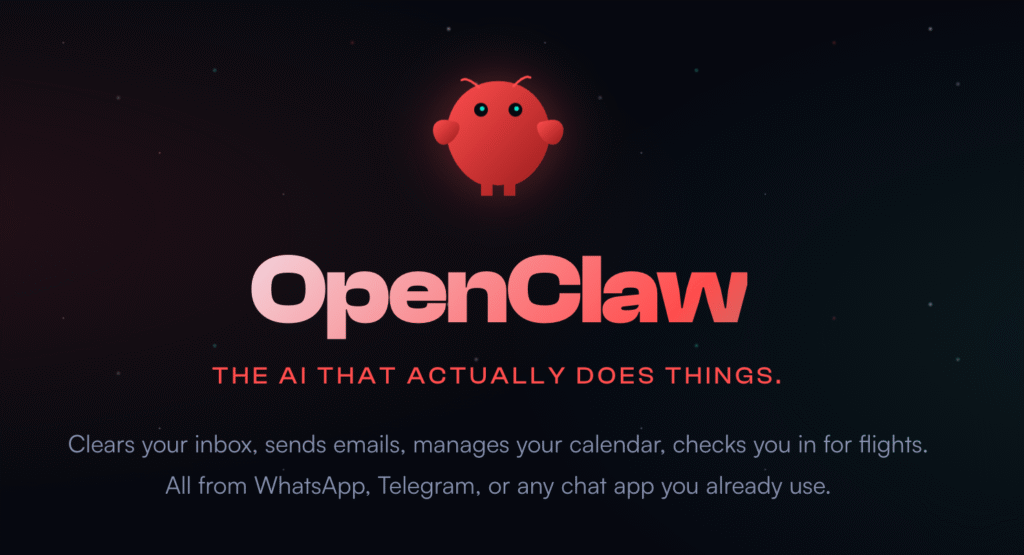
At the same time, OpenClaw supports multi-channel use. That means one setup can run on WhatsApp, Telegram, and more. For many users, this removes the need for separate tools.
How OpenClaw Works in Simple Terms
First, OpenClaw links to your messaging account through integrations. Once connected, it monitors incoming messages in real time. Then, it decides what action to take.
Next, the platform applies automation logic. This might involve predefined scripts or AI-generated replies. Because of this, conversations feel surprisingly human.
Finally, OpenClaw logs everything in a dashboard. Users can review messages, tweak responses, and adjust behavior. Over time, the bot becomes more accurate and useful.
Why OpenClaw Went Viral: What Made This AI Tool Explode
First, OpenClaw spread because it solved a real annoyance. People were tired of juggling replies across multiple messaging apps. OpenClaw stepped in and handled that mess automatically.
At the same time, setup felt shockingly simple. Users didn’t need coding skills or complex workflows. As a result, first-time success stories flooded social feeds.
Timing was critical. Messaging automation reached its inflection point as AI tools entered the mainstream, accelerated by the adoption of low-code and no-code solutions. OpenClaw rode that wave perfectly.
The Power of Messaging App Access
To begin with, OpenClaw plugs directly into everyday chats. WhatsApp and Telegram already dominate personal and business communication. Therefore, automation inside those apps feels incredibly powerful.
Unlike email tools, chat messages get opened instantly. Because of that, automated replies feel more useful and immediate. Users saw results within minutes, not weeks.
Consequently, people started sharing screenshots. Those quick wins helped OpenClaw spread faster than traditional software launches.
Community Buzz and Comparisons
Soon after launch, comparisons started appearing everywhere. Users debated OpenClaw vs Clawdbot and OpenClaw vs Moltbot across forums and comment sections.
In many cases, OpenClaw felt more flexible. It handled multi-channel bots without extra fees or complex setups. That difference mattered to small teams and solo creators.
Because of that buzz, curiosity turned into adoption. People didn’t want to miss out on what others were already using successfully.
From Niche Tool to Mainstream Attention
Initially, OpenClaw appealed to automation enthusiasts. However, word quickly reached marketers, creators, and small businesses. Each group found a different use case.
Meanwhile, rebrand discussions added fuel to the fire. Past users of Clawdbot and Moltbot followed the evolution closely. That history made OpenClaw feel familiar yet improved.
Ultimately, virality came from visibility plus usefulness. When a tool works and looks impressive, people talk about it. OpenClaw checked both boxes.
OpenClaw Rebrands Explained
At first glance, OpenClaw looks brand new. However, the platform didn’t appear out of thin air. Instead, it’s the latest step in a series of rapid rebrands.
Previously, users knew the tool as Clawdbot. Later, it shifted to Moltbot. Now, it operates under the OpenClaw name. Each change sparked fresh attention.
Because of that history, some users felt confused. Others felt reassured, since the core idea stayed familiar.
From Clawdbot to Moltbot to OpenClaw
Originally, Clawdbot focused on basic chat automation. It gained traction quickly but faced scaling limits. As demand grew, the team needed flexibility.
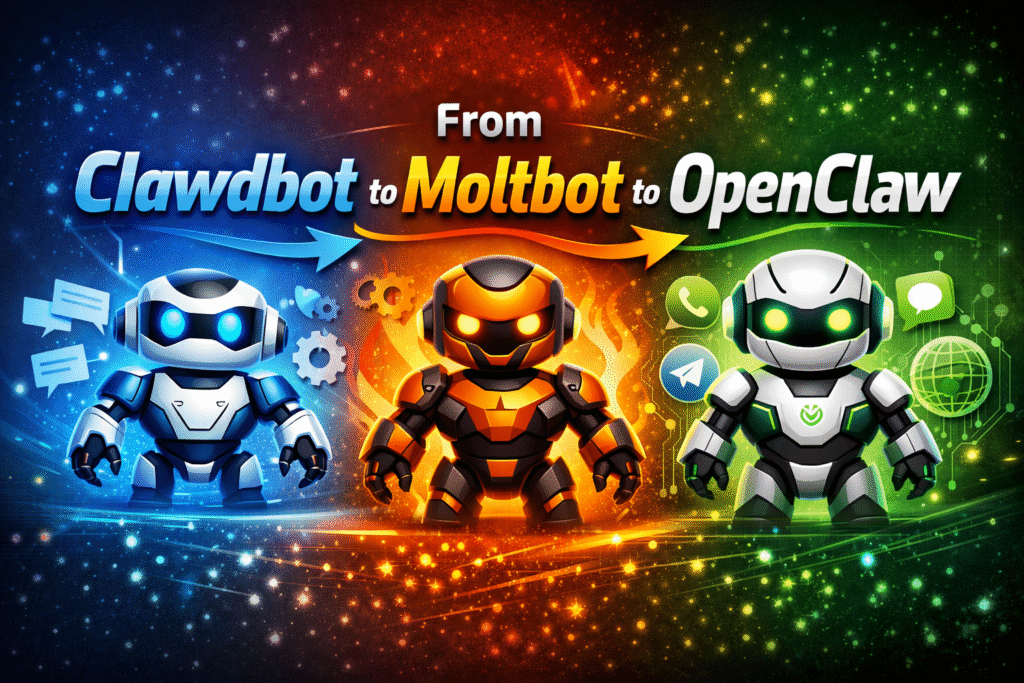
Next came Moltbot. This phase introduced smarter responses and better integrations. Still, the name change raised eyebrows.
Eventually, the platform became OpenClaw. This rebrand signaled openness, expansion, and broader integrations. For many users, it finally made sense.
Why the Rebrands Kept Happening
First, messaging platforms constantly change their rules. Tools that automate chats must adapt quickly. Rebrands often reflect backend rewrites or compliance shifts.
Second, expectations around AI moved fast. What impressed users one year felt basic the next. Each rebrand aligned the product with stronger capabilities.
Finally, branding mattered more as the audience grew. OpenClaw sounds broader and more flexible. That name alone helped reposition the tool.
What Stayed the Same Beneath the Name
Despite the changes, the core promise stayed consistent. OpenClaw still automates real conversations inside chat apps. That foundation never disappeared.
Also, the user base carried over. Early adopters recognized familiar workflows and logic. Because of that, trust didn’t fully reset.
In the end, the rebrands weren’t about starting over. They were about keeping pace with how fast messaging automation evolved.
OpenClaw Security Risks: What You Should Know
First, OpenClaw’s power comes from deep access to messaging apps. That same access raises obvious security questions. Any tool that reads and sends messages deserves careful scrutiny.
At the same time, most users jump in fast. They focus on automation benefits and skip privacy checks. That habit can create problems later.
So before scaling usage, it helps to understand the real risks. Knowing them early prevents painful surprises.
Message Access and Account Control
To work properly, OpenClaw needs permission to read conversations. It also needs the ability to send messages on your behalf. That level of control is significant.
If credentials are mishandled, accounts could be exposed. Even worse, automated messages might be sent without review. For businesses, that can damage trust fast.
Because of this, strong authentication matters. Users should always secure accounts with unique passwords and, where possible, two-step verification.
Platform Rules and Compliance Risks
Messaging platforms closely watch automation behavior. WhatsApp and Telegram both limit how bots can operate. Violations can trigger temporary or permanent bans.
Sometimes, users push OpenClaw too aggressively. High-volume messaging or spam-like replies raise red flags. As a result, accounts may get restricted.
Therefore, moderation is key. Smart usage keeps automation helpful instead of disruptive.
Data Storage and Transparency Concerns
Another concern involves message storage. OpenClaw logs conversations to improve responses and tracking. Users should know where that data lives.
If logs aren’t encrypted or clearly managed, sensitive information could be at risk. This matters even more for customer support or sales chats.
For safety, users should avoid sharing confidential data through automated flows. Treat bots like assistants, not vaults.
What Are People Doing With OpenClaw?
First, most users start simple. They use OpenClaw to reply faster inside busy chats. That alone removes hours of repetitive typing each week.
Then, things escalate quickly. Once people see it working, they experiment with automation flows. Suddenly, one bot handles tasks that used to need a small team.
Because of that flexibility, OpenClaw use cases now stretch far beyond basic replies.
Customer Support Without the Overhead
One popular use is automated support. Businesses connect OpenClaw to WhatsApp or Telegram and handle FAQs instantly. Customers get answers without waiting.
At the same time, human agents step in only when needed. That balance keeps conversations efficient yet personal. For small businesses, this feels like hiring extra help without the cost.
As a result, response times drop dramatically. Faster replies often translate into happier customers.
Lead Generation and Sales Conversations
Another common use involves lead capture. OpenClaw greets new messages and asks qualifying questions. It then routes serious leads to a human.
Instead of cold forms, users interact through chat. That feels more natural and less intrusive. Consequently, conversion rates often improve.
Many creators also use this setup for promotions. Product links, booking pages, and offers get shared automatically at the right moment.
Personal Productivity and Experiments
Not everyone uses OpenClaw for business. Some users automate reminders, summaries, or group notifications. Others build experimental bots just for fun.
Communities on Telegram often rely on automation to manage large groups. OpenClaw handles welcome messages, rules, and updates smoothly.
In short, people use OpenClaw wherever conversations repeat. If a message gets sent more than once, someone is probably automating it.
OpenClaw in Action: Built-in Capabilities
First, OpenClaw feels practical the moment you open the dashboard. Everything is laid out for non-technical users. You can see conversations, rules, and responses in one place.
Instead of complex scripting, most actions rely on simple logic. Choose a trigger, set a response, and let the bot handle it. That ease explains why adoption feels so fast.
Because of this design, OpenClaw works well right out of the box. Many users never touch advanced settings.
Core Automation Tools You Get Instantly
At its base, OpenClaw handles automated replies. Incoming messages trigger predefined responses within seconds. This keeps chats active even when you’re offline.
Next, keyword detection plays a big role. The bot watches for specific phrases and responds accordingly. That feature alone covers FAQs, pricing requests, and basic support.
Additionally, message scheduling helps with announcements. Users can push updates to groups or contacts at set times. This removes the need for manual reminders.
Multi-Channel Messaging Support
One standout capability is multi-channel control. OpenClaw connects to both WhatsApp and Telegram from a single interface. That setup saves time and reduces mistakes.
Instead of duplicating workflows, users reuse the same logic everywhere. A reply created once can run across platforms. As a result, messaging stays consistent.
This approach also helps teams scale. As channels grow, the bot handles volume without slowing down.
Monitoring, Logs, and Adjustments
Finally, OpenClaw tracks everything it does. Conversation logs show what messages were sent and why. This visibility helps users fine-tune behavior.
If a response feels off, it’s easy to adjust rules. Changes apply immediately, without redeploying anything. That feedback loop encourages experimentation.
Overall, OpenClaw’s built-in capabilities focus on speed and clarity. You spend less time managing bots and more time using them.
OpenClaw Setup Guide: Prerequisites and Installation
Before anything else, OpenClaw requires a few basics. Users need active WhatsApp or Telegram accounts. Without those, automation has nothing to connect to.
Next, a stable internet connection matters more than people expect. Bots rely on real-time message syncing. Any interruptions can break flows or delay replies.
Finally, users should prepare clear goals. Knowing what you want to automate saves time during setup.
Accounts, Permissions, and Access
To begin, OpenClaw asks for messaging permissions. These allow it to read and send messages on your behalf. That access powers every feature.
During setup, users must verify their messaging accounts. This step confirms ownership and prevents misuse. It usually takes just a few minutes.
Because permissions are broad, caution helps. Only connect accounts you actually plan to automate.
What You Should Have Ready
First, outline your use case. Decide whether the bot will handle support, sales, or notifications. Clear intent keeps setups clean.
Second, prepare basic responses. Common questions, greetings, or instructions work best as starters. These form the foundation of automation.
Lastly, review platform rules. WhatsApp and Telegram both discourage spam. Staying compliant protects your accounts long term.
Avoiding Common Setup Mistakes
Many users rush through configuration. As a result, bots reply too often or at the wrong time. That can annoy contacts quickly.
Another mistake involves over-automation. Bots should assist, not overwhelm. Keeping humans in the loop avoids awkward conversations.
With the right preparation, OpenClaw setup feels smooth. A little planning upfront saves hours later.
How to Install OpenClaw: Step-by-Step Guide
First, installing OpenClaw doesn’t feel like traditional software. There’s nothing to download or compile. Instead, everything runs through a web-based setup.
Because of that, most users finish installation in under thirty minutes. The key is following the steps in order. Skipping ahead often causes connection issues.
So take it slow the first time. A clean setup makes automation far more reliable later.
Step 1: Create and Verify Your OpenClaw Account
Start by signing up on the OpenClaw dashboard. Use an account email you actively monitor. Verification emails arrive quickly.
Next, confirm your account through the verification link. This step unlocks integrations and settings. Without it, setup cannot continue.
Once verified, log in and explore the dashboard briefly. Familiarity helps during later steps.
Step 2: Connect WhatsApp or Telegram
Now comes the core connection step. For WhatsApp, OpenClaw typically uses a QR-based login. Scan it using your phone’s WhatsApp app.
For Telegram, the process differs slightly. You generate or paste a bot token. That token links OpenClaw to your Telegram bot instantly.
After connecting, test message syncing. Send a message and confirm it appears in the dashboard.
Step 3: Create Your First Automation Rule
Next, define a simple trigger. For example, set a greeting when someone says “hello.” Keep it basic for the first test.
Then, write a short response. Friendly, clear replies work best early on. Save the rule and activate it.
Finally, send a test message. Watching the bot reply for the first time is usually the “aha” moment.
Step 4: Monitor and Adjust
After installation, keep an eye on logs. Review how messages flow and whether replies make sense. Early tweaks improve accuracy.
If responses feel off, adjust keywords or timing. Small changes often produce big improvements.
Once everything looks stable, you’re officially live. OpenClaw is now working in the background.
Where OpenClaw Fits in the Messaging Automation Landscape
First, OpenClaw sits between simple bots and enterprise platforms. It offers more flexibility than basic auto-repliers. At the same time, it avoids the complexity of heavyweight systems.
Because of that balance, OpenClaw attracts solo creators and small teams. They want real automation without hiring developers. This middle ground feels intentional.
In many ways, OpenClaw fills a gap others ignored. It focuses on chat-first workflows rather than dashboards full of unused features.
How It Compares to Other Automation Tools
Traditional chatbot platforms often start with websites. Messaging support comes later, if at all. OpenClaw flips that model completely.
With OpenClaw, chat apps are the foundation. WhatsApp and Telegram aren’t add-ons; they’re the core. That design choice matters.
As a result, setup feels more natural for messaging-heavy users. You build automation around conversations, not forms or funnels.
Strengths That Make OpenClaw Stand Out
One major strength is speed. Users can go from signup to live automation quickly. That fast payoff builds confidence.
Another advantage involves channel unification. Managing multiple chat apps from one place reduces friction. Fewer tools mean fewer mistakes.
Finally, OpenClaw stays approachable. Even advanced features don’t overwhelm. That accessibility keeps users engaged long term.
Who OpenClaw Is Best For
OpenClaw works best for people living in chat apps. Small businesses, creators, and community managers benefit most. They need responsiveness more than complexity.
Larger enterprises may want deeper compliance controls. However, many teams start with OpenClaw before scaling elsewhere.
Overall, OpenClaw earns its place by doing one thing well. It makes messaging automation practical, not intimidating.
The Road Forward for OpenClaw Users
Looking ahead, OpenClaw feels like it’s still warming up. Most users only tap into basic automation at first. Over time, they usually push the platform further.
As messaging continues to replace email, tools like OpenClaw become more valuable. Conversations are faster, more personal, and harder to manage manually. Automation fills that gap naturally.
Because of this shift, OpenClaw sits in the right place at the right time. Its growth depends on how responsibly users adopt it.
What Users Should Expect Next
Future updates will likely focus on smarter automation. Better AI context, cleaner integrations, and stronger controls feel like the natural next steps. Users already assume these improvements.
At the same time, messaging platforms keep changing rules. OpenClaw will need to adapt quickly. Staying compliant will matter as much as new features.
For users, this means staying informed. Automation works best when it evolves alongside platform policies.
Using OpenClaw the Right Way
The biggest advantage comes from balance. Let bots handle repetition, but keep humans available for nuance. That mix builds trust instead of frustration.
It also helps to review automation regularly. Conversations change, and scripts should change too. Small updates keep bots feeling relevant.
In the end, OpenClaw rewards thoughtful use. When applied with care, it saves time without losing the human touch.
Final Takeaway
OpenClaw isn’t just another chatbot tool. It reflects how people actually communicate today. Messaging-first automation feels inevitable.
For users willing to experiment responsibly, the platform offers real leverage. Less manual work, faster replies, and scalable conversations become achievable.
The road forward looks promising. How powerful OpenClaw becomes depends on how wisely it’s used.
TL;DR
Built-in tools cover basic automation, while advanced features unlock AI logic, integrations, and analytics.